AERONET Instrument Troubleshooting Interface - Solutions for FILTER WHEEL ERRORS Flag
Description Inside the sensor head, a motor-driven filter wheel rotates to position individual narrowband optical filters in front of the detector for each measurement channel. If the wheel stalls, skips a position, or fails to rotate fully, the expected measurement is missed and an error is logged. Filter wheel errors frequently point to insufficient 12 V power or a faulty cable connection, and may co-occur with robot errors for the same underlying reason.
Condition(s) Flag if >35; or >10 any day during week
How To Check/Test Typically, errors will not occur if you can successfully read out the temperature
Model 4: VIEW > BAT > red button (twice) Model 5: VIEW > InsH Model T: MEASURES > Temperature
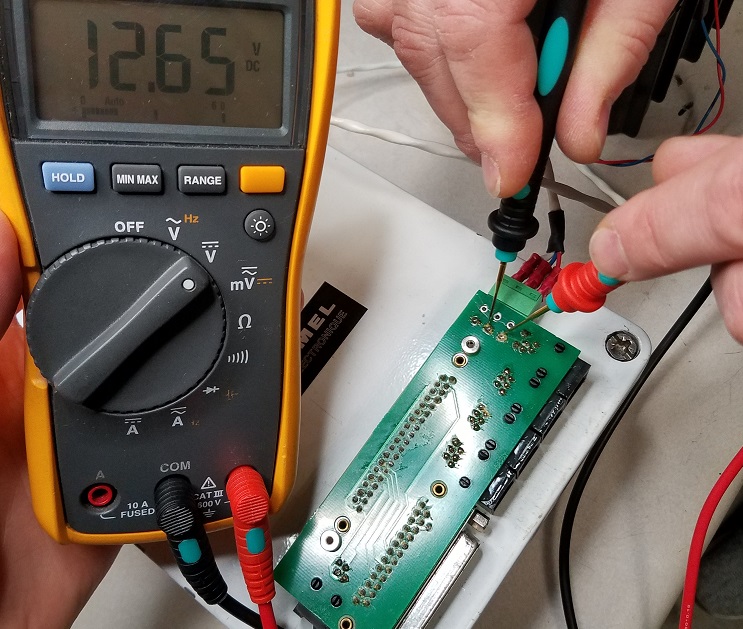
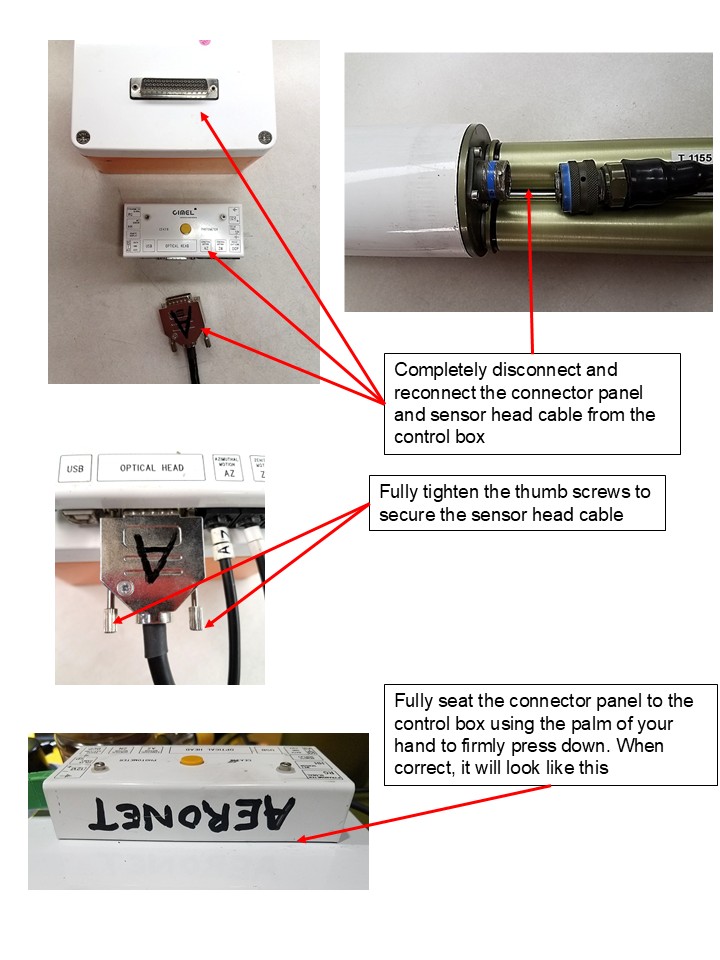
Solution Level 1 (< 5 minutes) 1. Check/reseat the the connector panel and both ends of the sensor head cable. (See External Reconnect) 2. Ensure that adequate 12 V power is being supplied to the instrument. Filter wheel errors in conjunction with robot errors often indicates a problem with connections or 12 V power. (See Checking External Battery Voltage)
Solution Level 2 (more involved) Models 4 and 5: 1. Check/reseat internal connections. 2. Try a different cable and connector panel (if available).
Version T: 1. Try a different cable and connector panel (if available).
Solution Level 3 (last resort) 1. Return instrument for maintenance.